IntelliJ protects master and main branches from force push by default. After a series of bad test commits accumulated during GitHub Actions debugging, I needed to clean up the history — here's how to remove that protection.
Scenario
To automate deployment using GitHub Actions, I encountered several syntax errors.
As a result, messy test code was left in the commit log, and I needed to enable force push to clean it up.
Solution
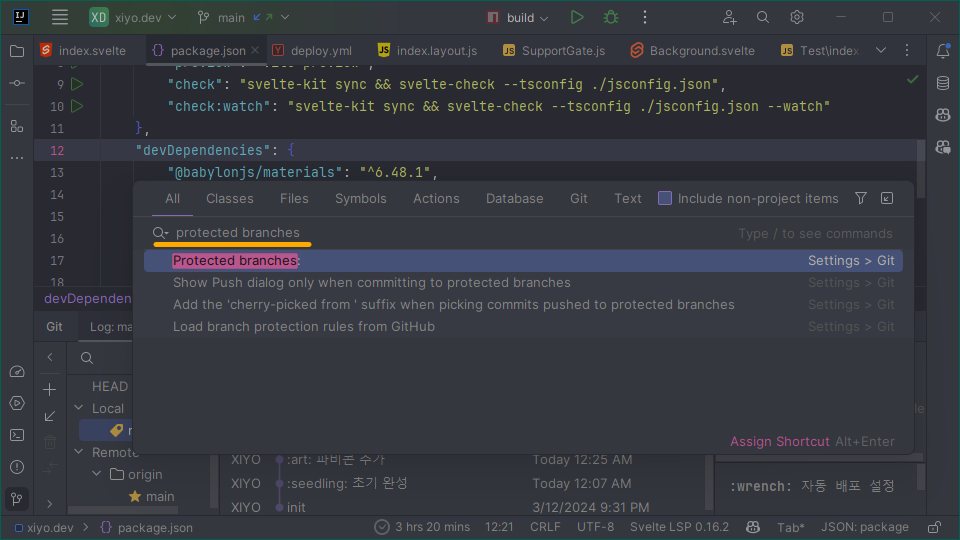
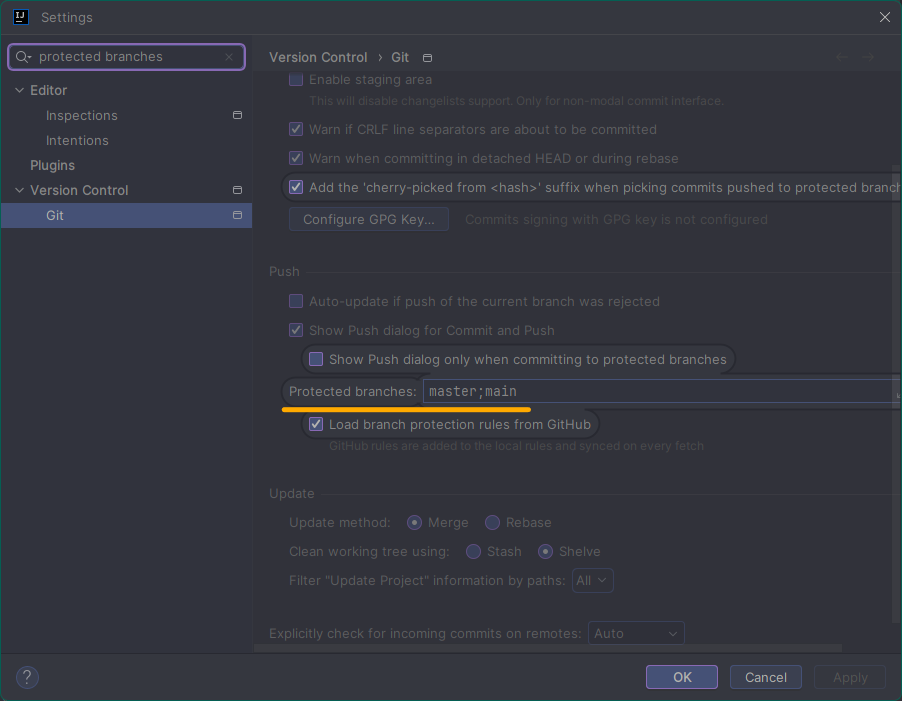
- Step 0: Press the shortcut keys Ctrl + Shift + A to open the
Search Everywherewindow. - Step 1: In the
Search Everywherewindow, type "Protected branches:" and click on the matching item. - Step 2: In the
settingswindow, locate theProtected branches:field and delete its contents.
Troubleshooting
Since GitHub and GitLab have branch protection features, you need to check the settings of each repository.