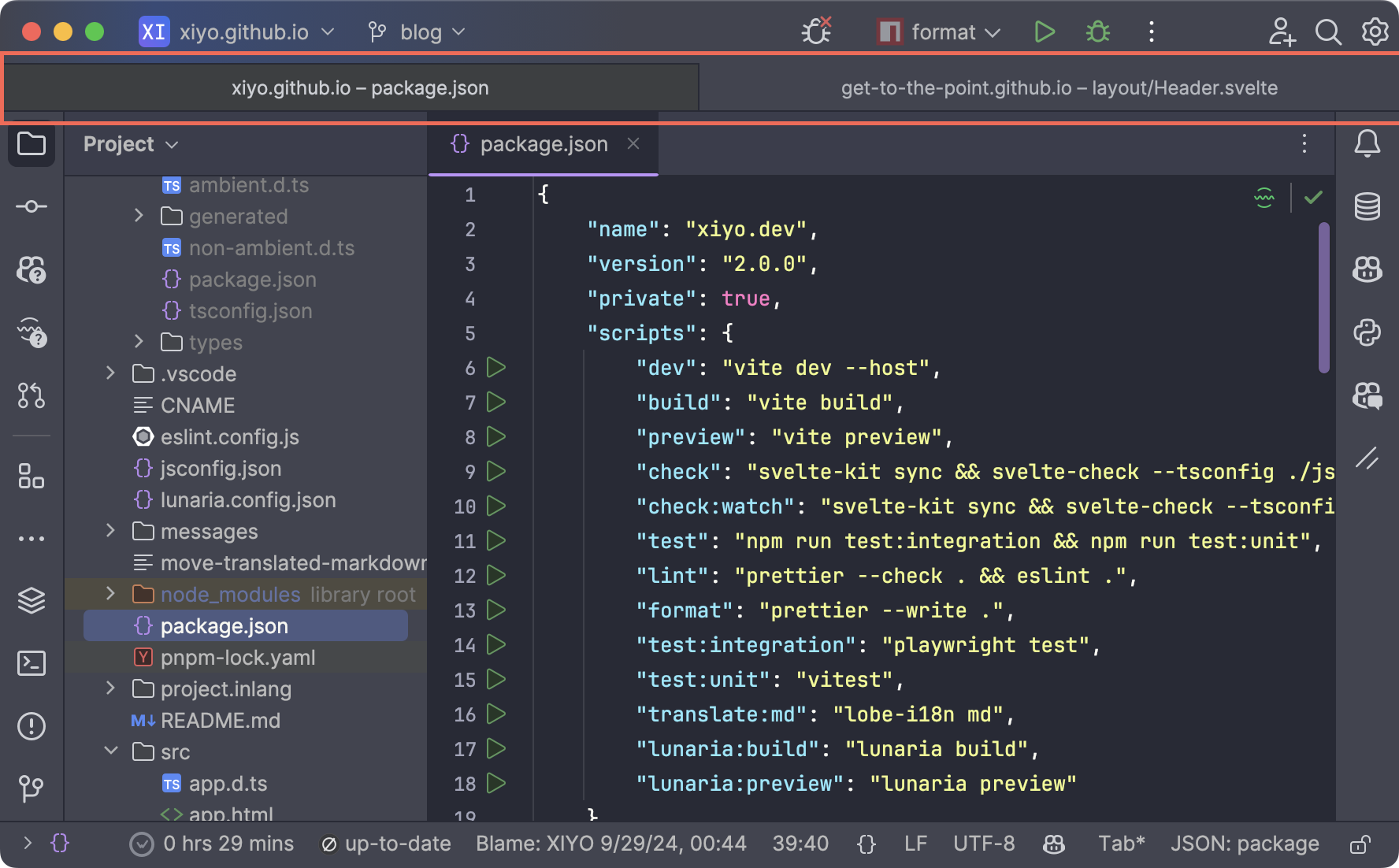
Projects opened in tabs
On macOS, you can configure multiple projects or documents to open in tabs instead of new windows. This setting applies not only to development tools but also to most tab-supporting apps (like Finder, Preview, etc.), and is useful for keeping your workspace organized.
Note
This is a macOS feature.
Settings to Open in Tabs
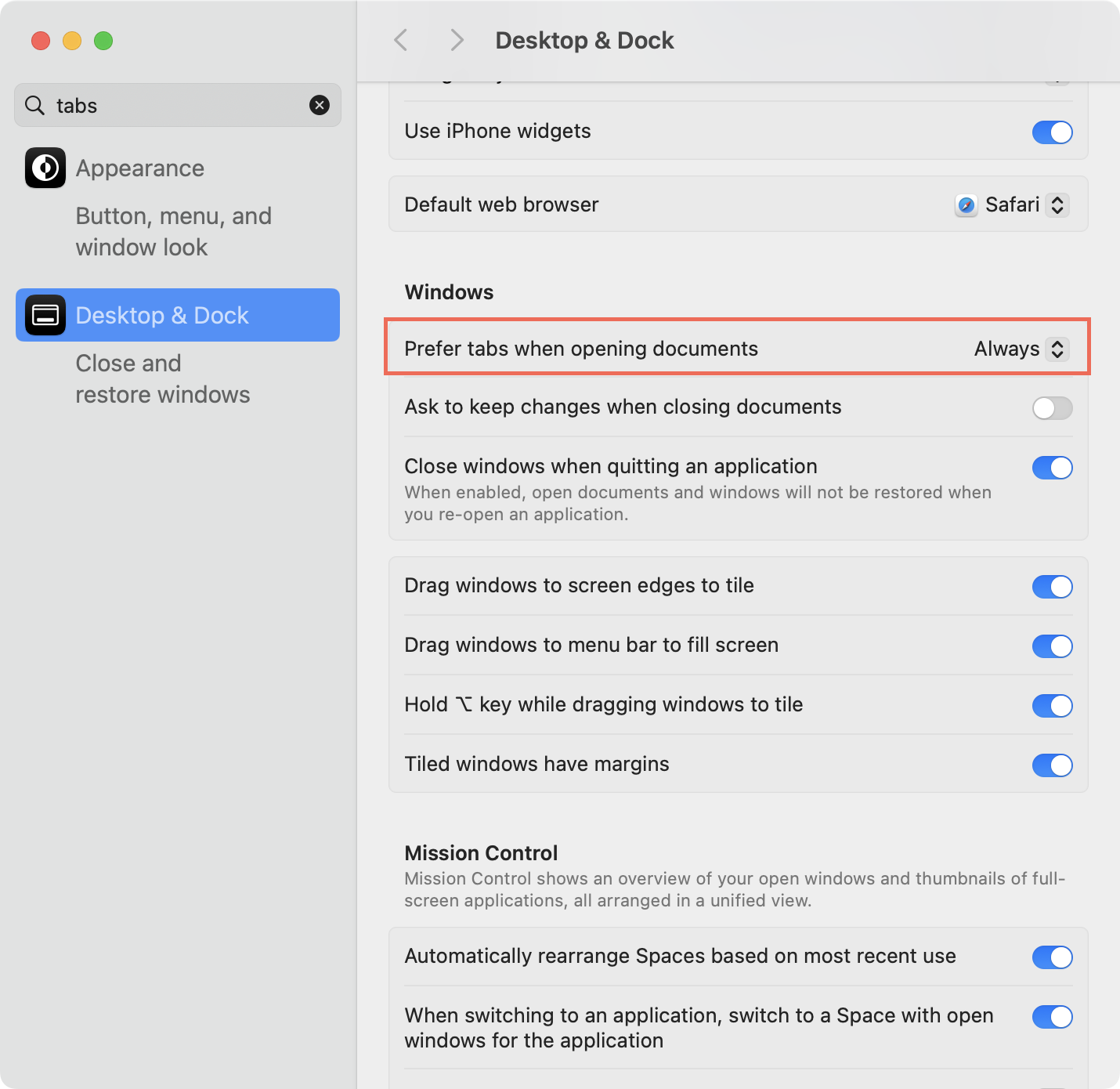
All applications will open in tabs.
- Open System Settings Navigate to System Settings > Desktop & Dock.
- Change Tab Settings
Set
Prefer tabs when opening documents:to Always.
Tip
This option forces documents to open in tabs instead of new windows when opening multiple documents in macOS-supported apps.
By utilizing this setting, you can efficiently work with multiple projects or documents by switching between tabs in a single window, which can increase focus and productivity, especially in small screen environments or when multitasking heavily.