IntelliJ doesn't recognize JavaScript files as static resources in a Spring Boot project's HTML — the files run fine, but the IDE shows path errors during development. Here's the fix.
Cause

When importing JavaScript files into HTML in a Spring Boot project, there is a problem with IntelliJ not correctly locating the path to the JavaScript files. This is due to the resource directory settings in IntelliJ.
Solution
Add the src/main/resources/static directory as a resource in the Project Structure window of IntelliJ.
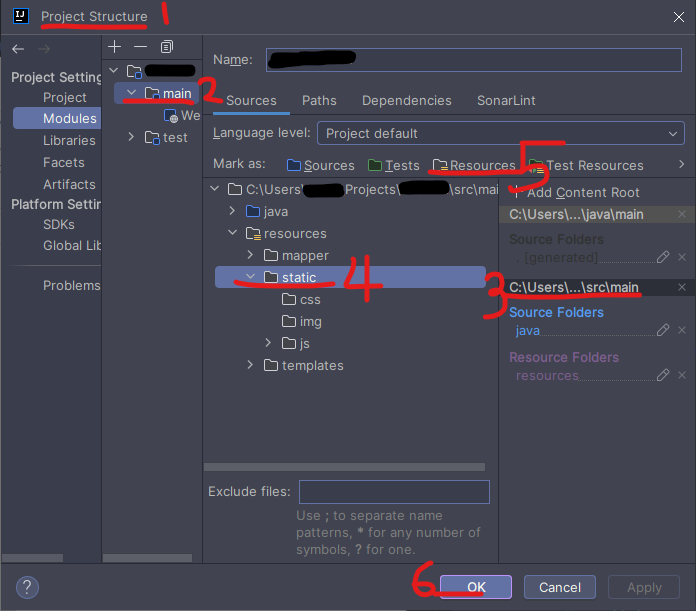
Tip
You can open the Project Structure window by pressing Ctrl + Alt + Shift + S.