A week into using IntelliJ, a conflict warning appeared for ⇧+⌘+A — a collision between IntelliJ's "Find Action" and macOS's "Search man Page Index in Terminal" service.
After using IntelliJ for about a week, I encountered a warning.
The latest version of IntelliJ has overridden key functions, so conflicts do not occur.
If there are no issues with usage, you can ignore the warning message.
Environment
- macOS 14.0 (Sonoma)
- IntelliJ IDEA Ultimate 2023.2.2
- New UI
- Compact mode
- New UI
Problem
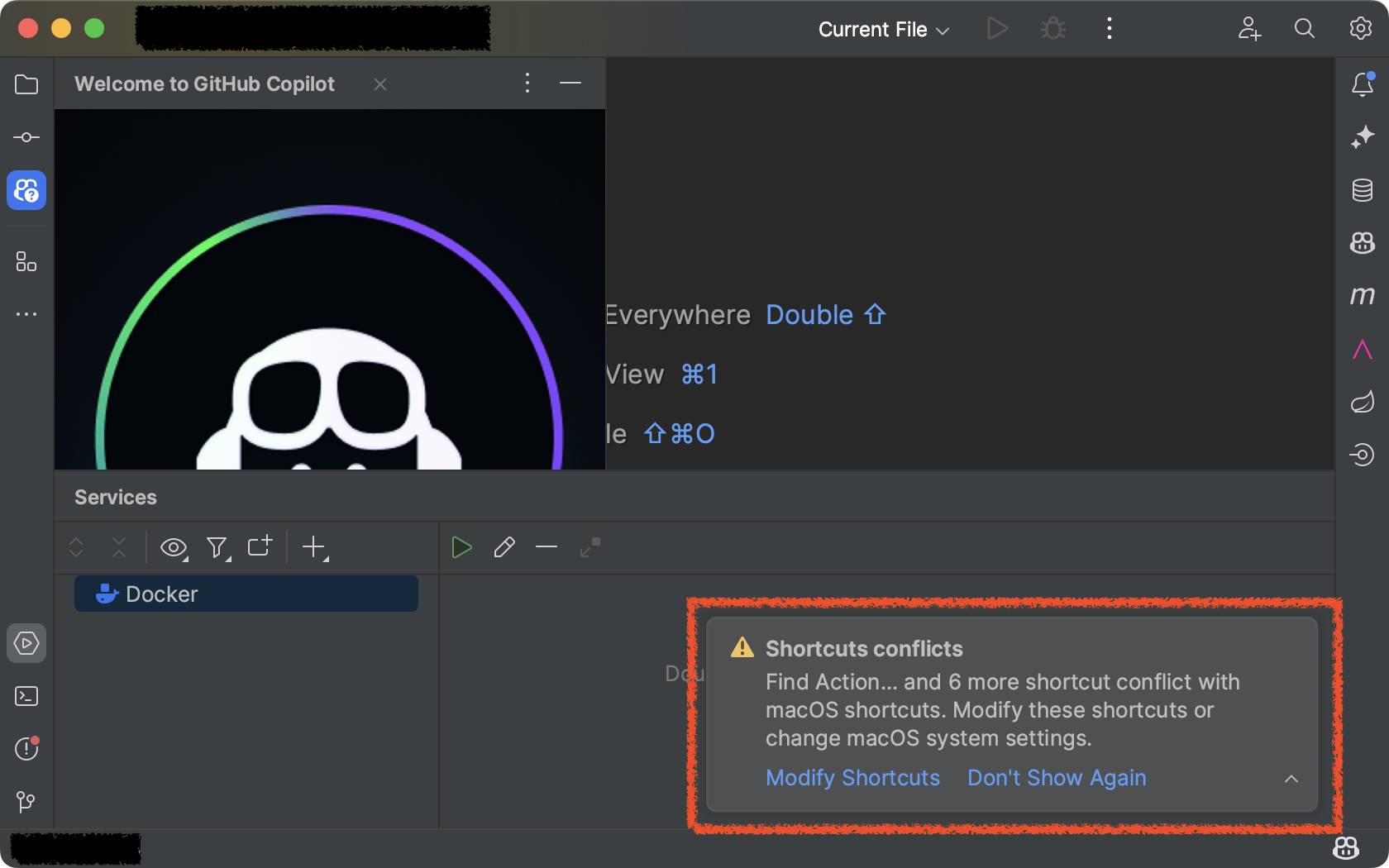
A warning about a shortcut conflict has appeared.
Solution
IntelliJ
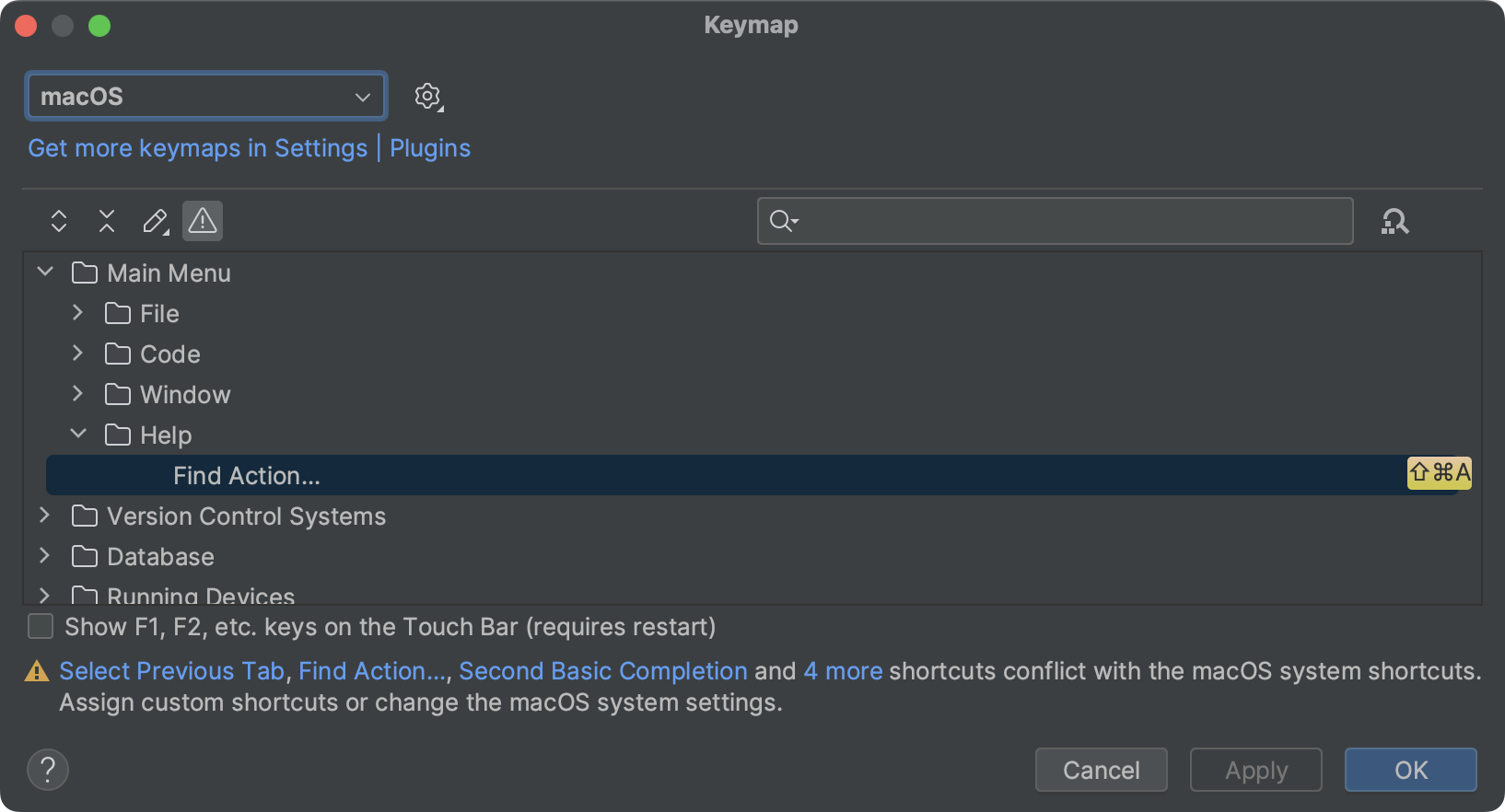
By checking the Keymap through the Modify Shortcuts link, I found that the shortcut ⇧ + ⌘ + A is in conflict.
macOS Sonoma
First, open the Settings app.
-
Settings Screen:
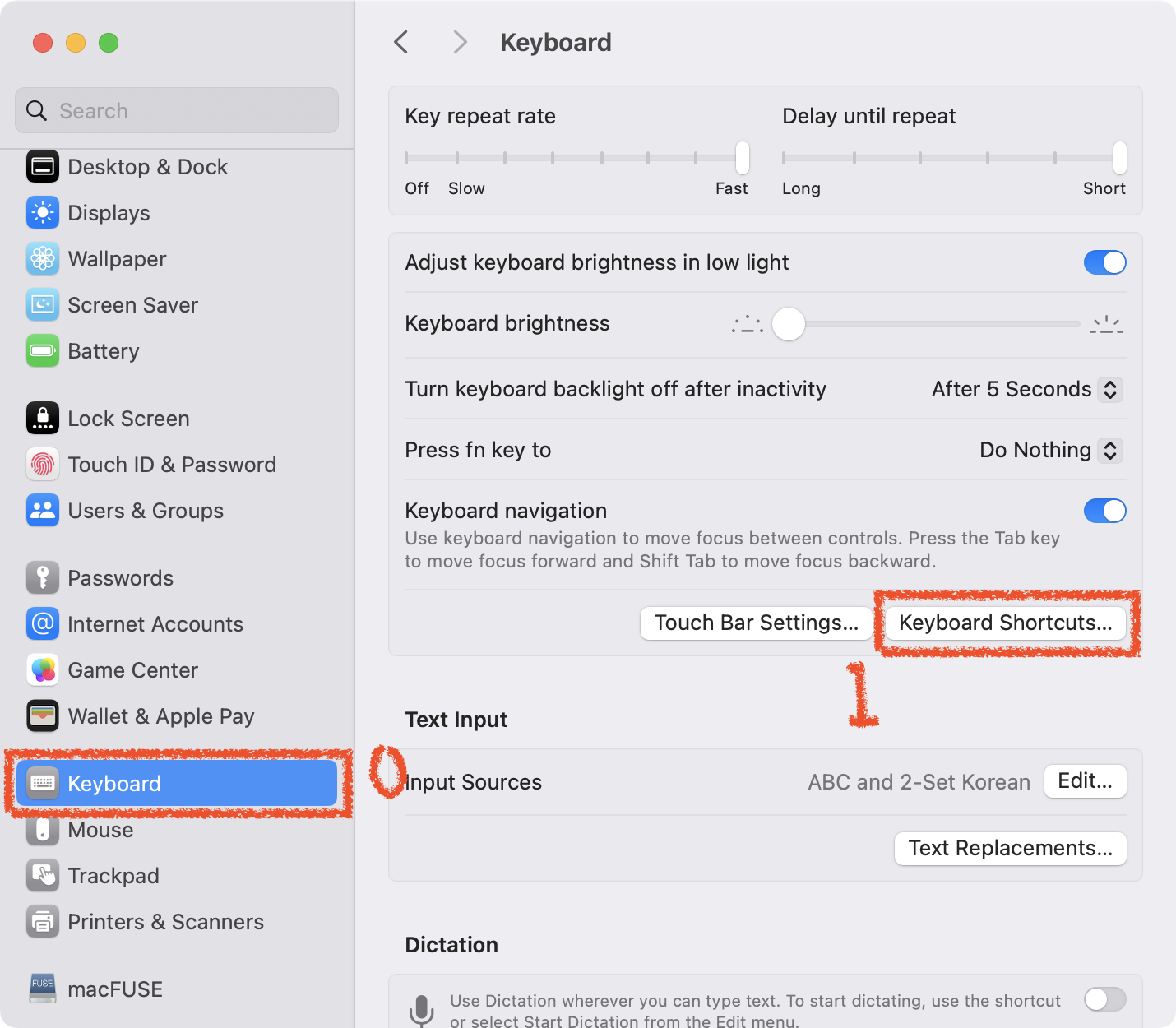
- Click on the Keyboard menu
- Click on the Keyboard Shortcuts button
-
Keyboard Shortcuts Screen:
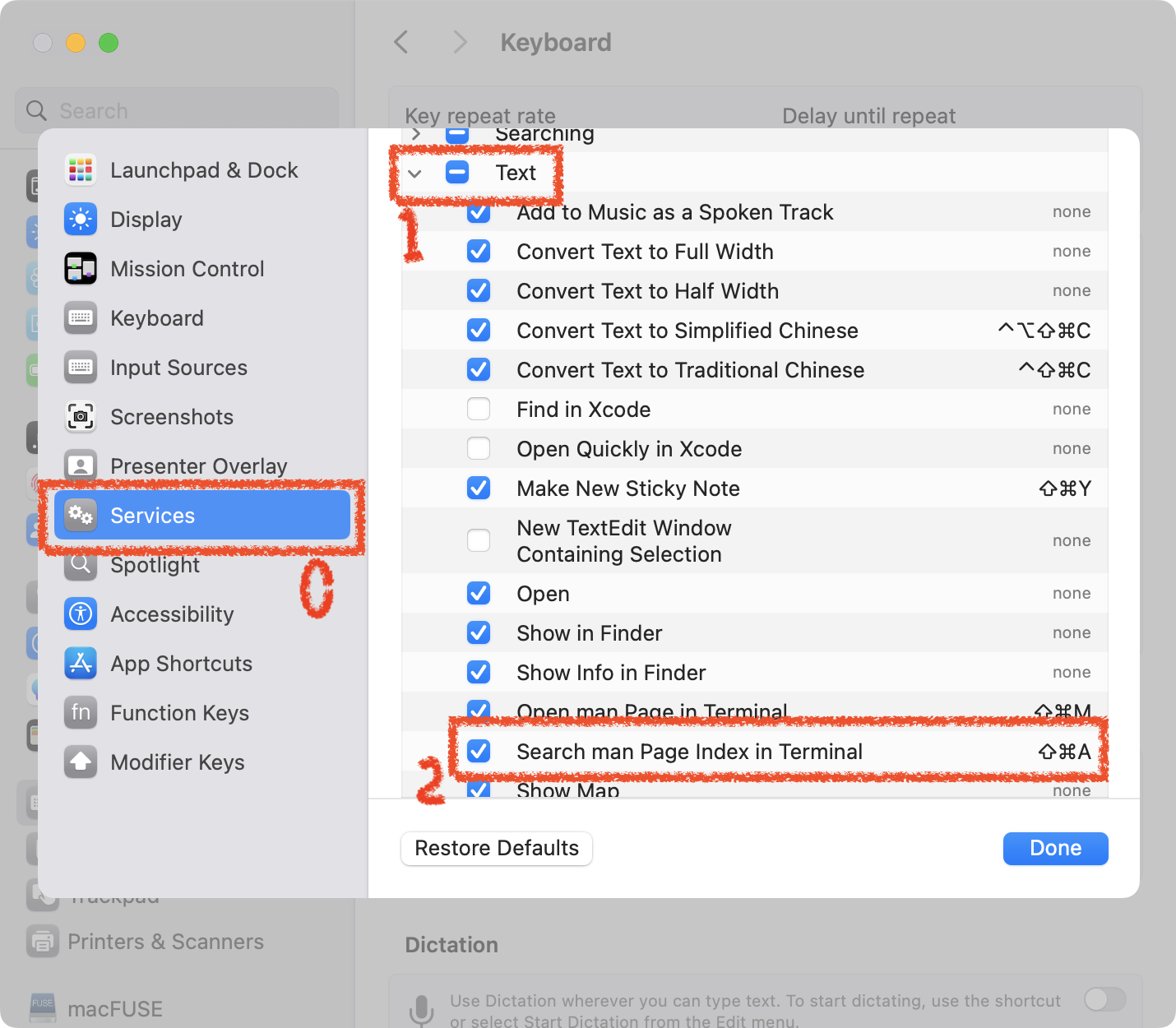
- Click on the Services menu
- Click on the Text item
- Uncheck the Search man Page Index in Terminal item
What Is "Search Man Page Index in Terminal"?
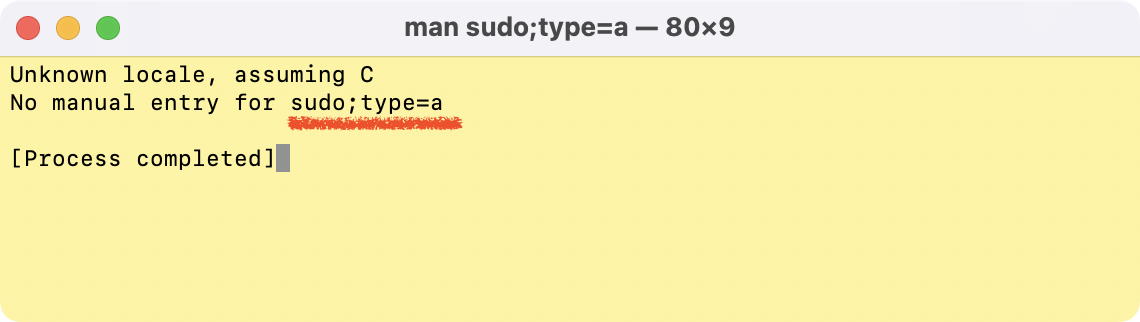
This feature is responsible for passing the selected text to the terminal as a manual option.
If the manual exists in the system, it will be displayed.
However, the argument passed to the man option is incorrectly formatted as sudo;type=a, which causes it to fail to find the manual and display a message indicating that the manual is not available.
Executable Command:
man sudo;type=aThis command outputs the manual without any issues.
Command That Causes an Error (Speculation):
man "sudo;type=a"This command outputs the same text as when executed with the shortcut.